Your data, your control
How to delete your account
Under the GDPR “right to erasure” (and equivalent privacy laws), you can permanently delete your Belote Pro account and personal data at any time. You can do it yourself in a few taps — no need to contact us first — or email us and we’ll do it for you. This page shows exactly how.
What gets deleted
Deleting your account is permanent and cannot be undone. Here’s what happens to your data:
- Permanently erased: your profile, display name, stats, match history, friends and sign-in details.
- Kept, anonymised: as the law requires, we retain anonymised records of any coin purchases for accounting and tax. These can no longer be linked to you.
- Coins: any remaining coin balance is forfeited. Coins have no cash value and are never refundable or transferable.
Delete your account yourself
Open your profile
Open your Profile page and tap ⚙ Account & privacy.
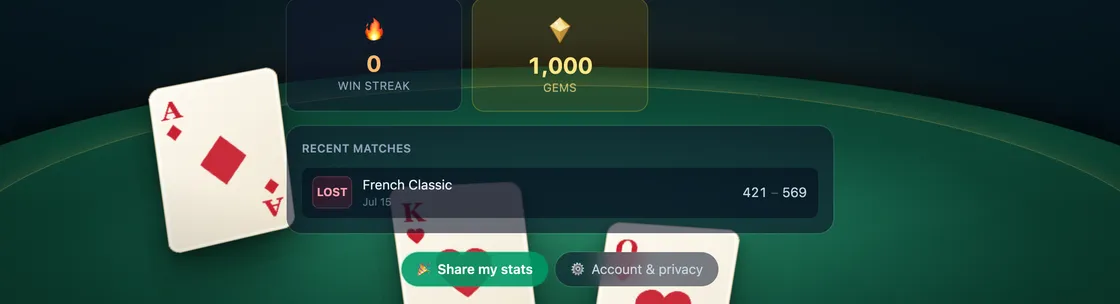
The “Account & privacy” button on your profile. Open the Danger zone
In the Account & privacy window, scroll to the Danger zone and tap Delete my account… — you’ll see a summary of exactly what will be removed.
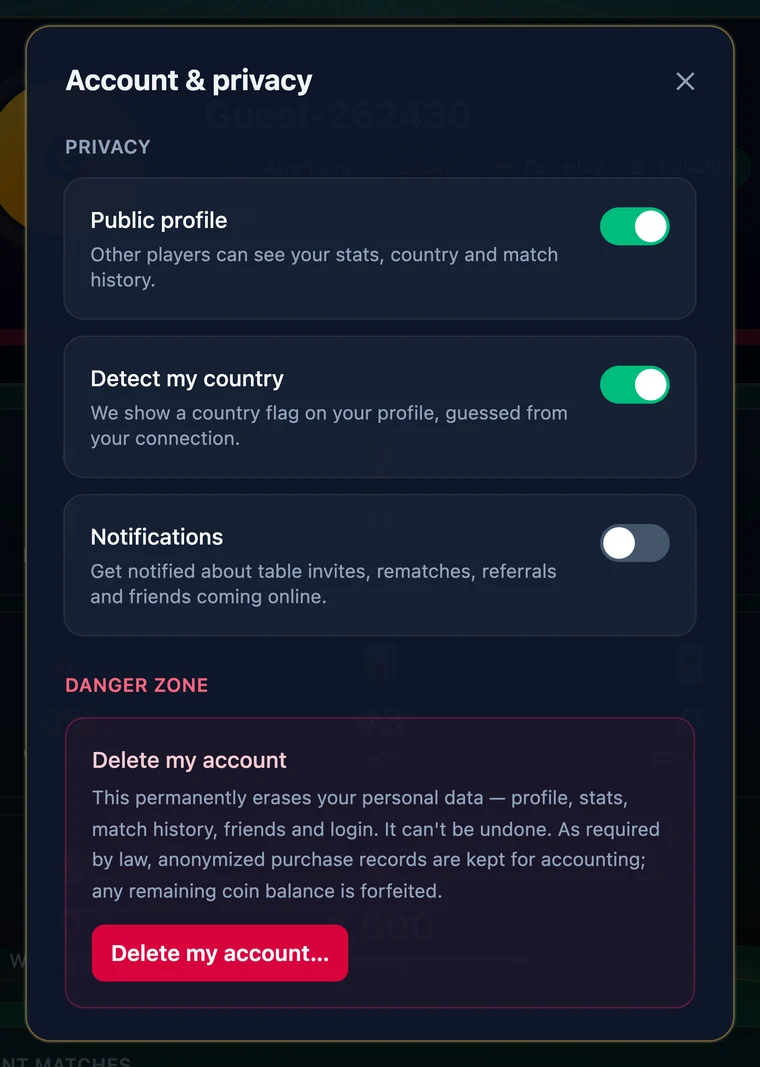
The Danger zone, with a summary of what deletion removes. Confirm
Type DELETE to confirm, then tap Permanently delete. Your account and data are erased immediately and you’re signed out.
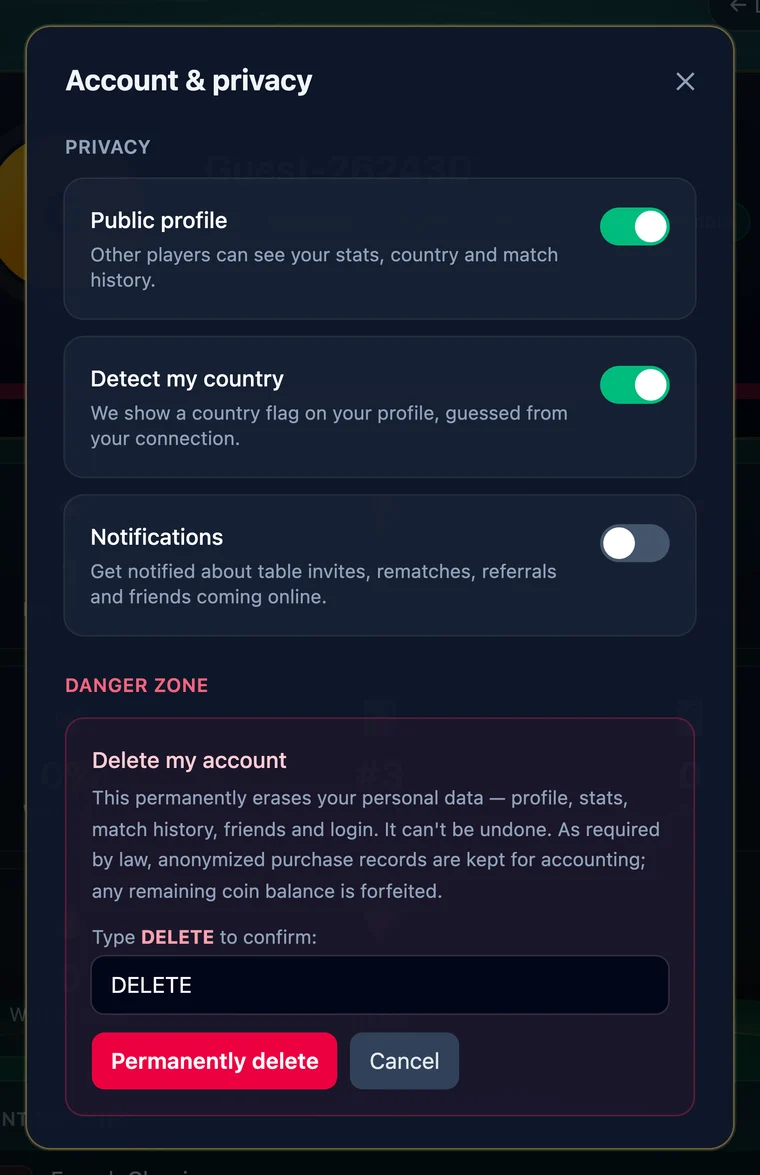
Type DELETE, then tap “Permanently delete”.
What happens next
Deletion takes effect immediately: you’re signed out, and your personal data is removed from our live systems right away and from backups within our normal backup-rotation period. The action cannot be reversed — to play again, you’d start a fresh account.
Prefer we delete it for you?
You don’t have to use the in-app flow. Email [email protected] from your account’s email address (or tell us your display name) and ask us to delete your account. We action erasure requests within the time limit set by law — usually within one month — free of charge.
Learn more
For the full detail on what we collect and all your rights, see our Privacy Policy, or reach us via Contact.